How to record a new consultation
A consultation (or atención) is the record of what happened: the chief complaint, the course, the diagnosis and the plan. It is kept in the patient’s clinical history.
Before you start
Your professional profile must be verified in ReTHUS. Without that the server refuses every clinical write, and you will see a red notice on the patient’s record.
Steps
- Open Pacientes and go into the patient’s profile.
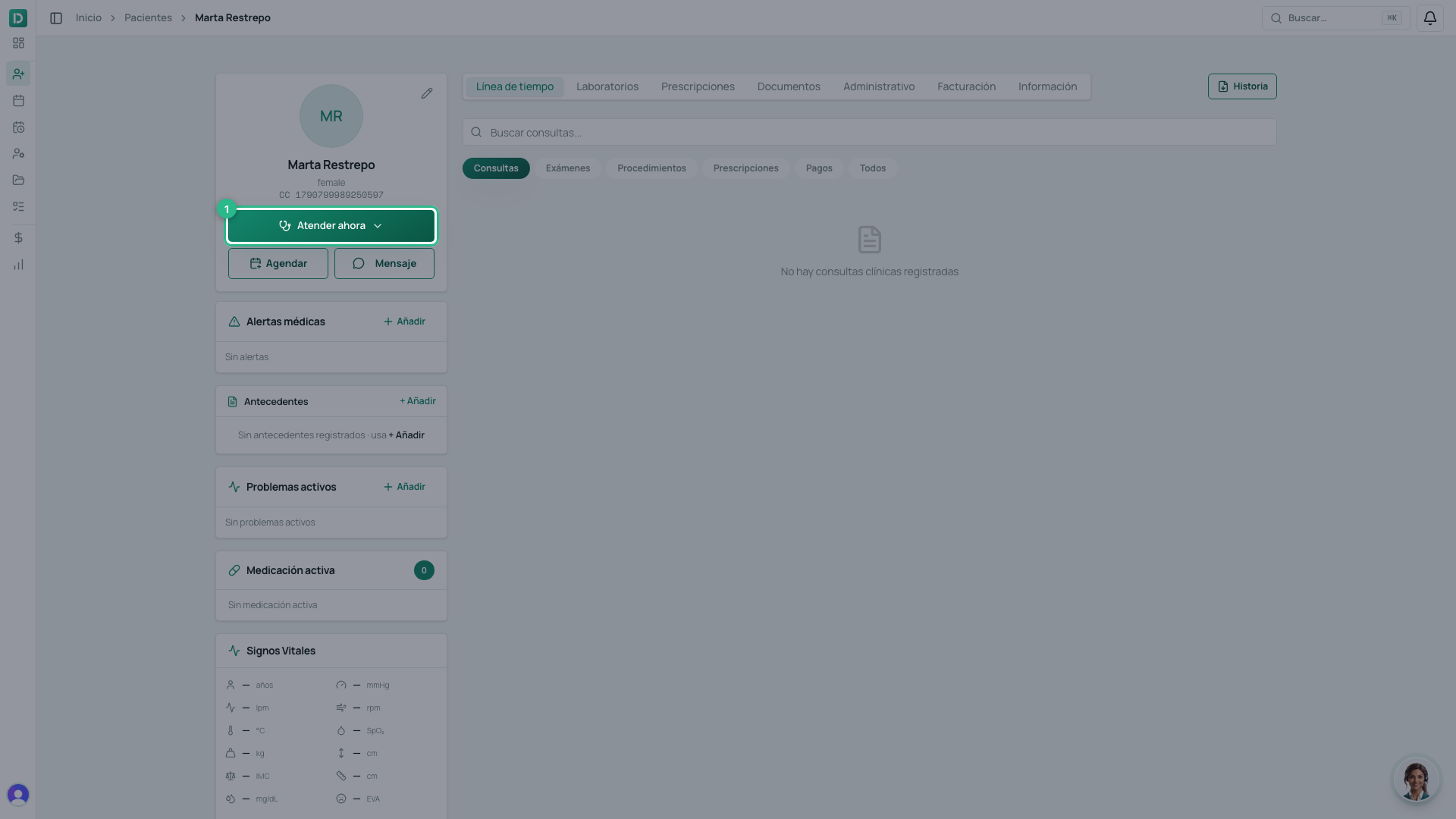
- Click Atender ahora and choose the kind of attention — Consulta, for example.
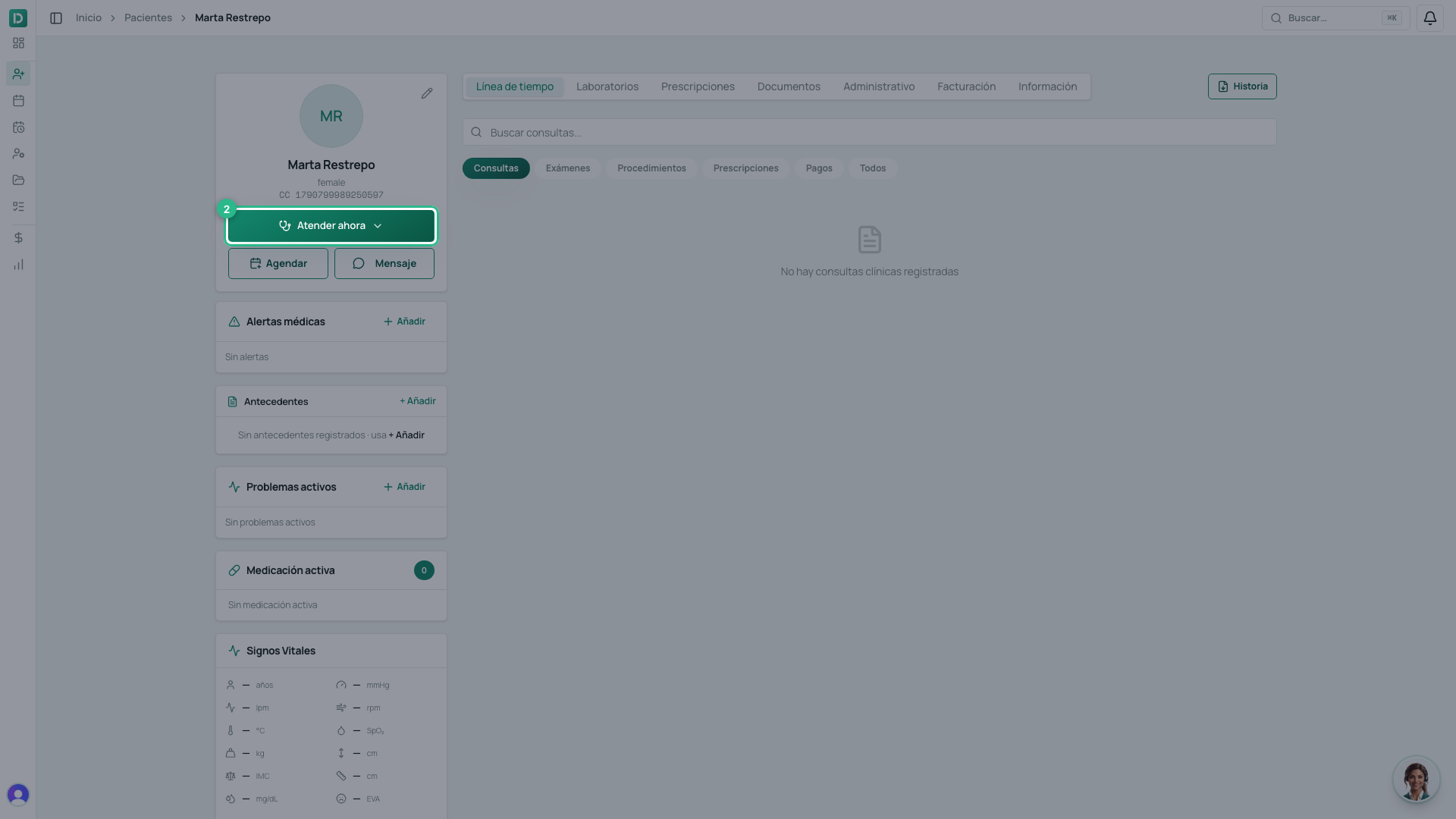
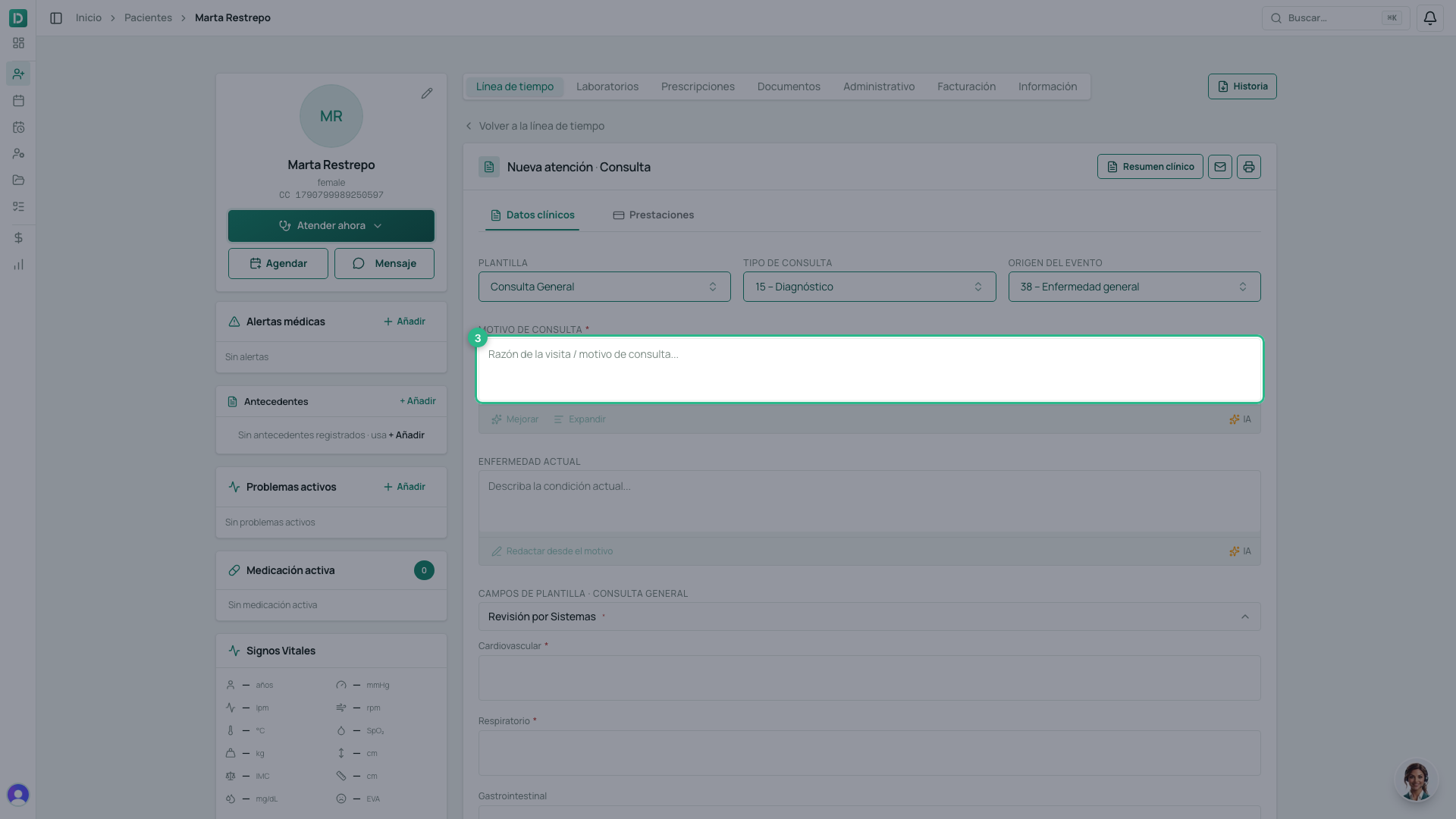
- Write the Motivo de consulta in the patient’s own words. Colombian law asks for the reason as they said it, not your summary of what they said.
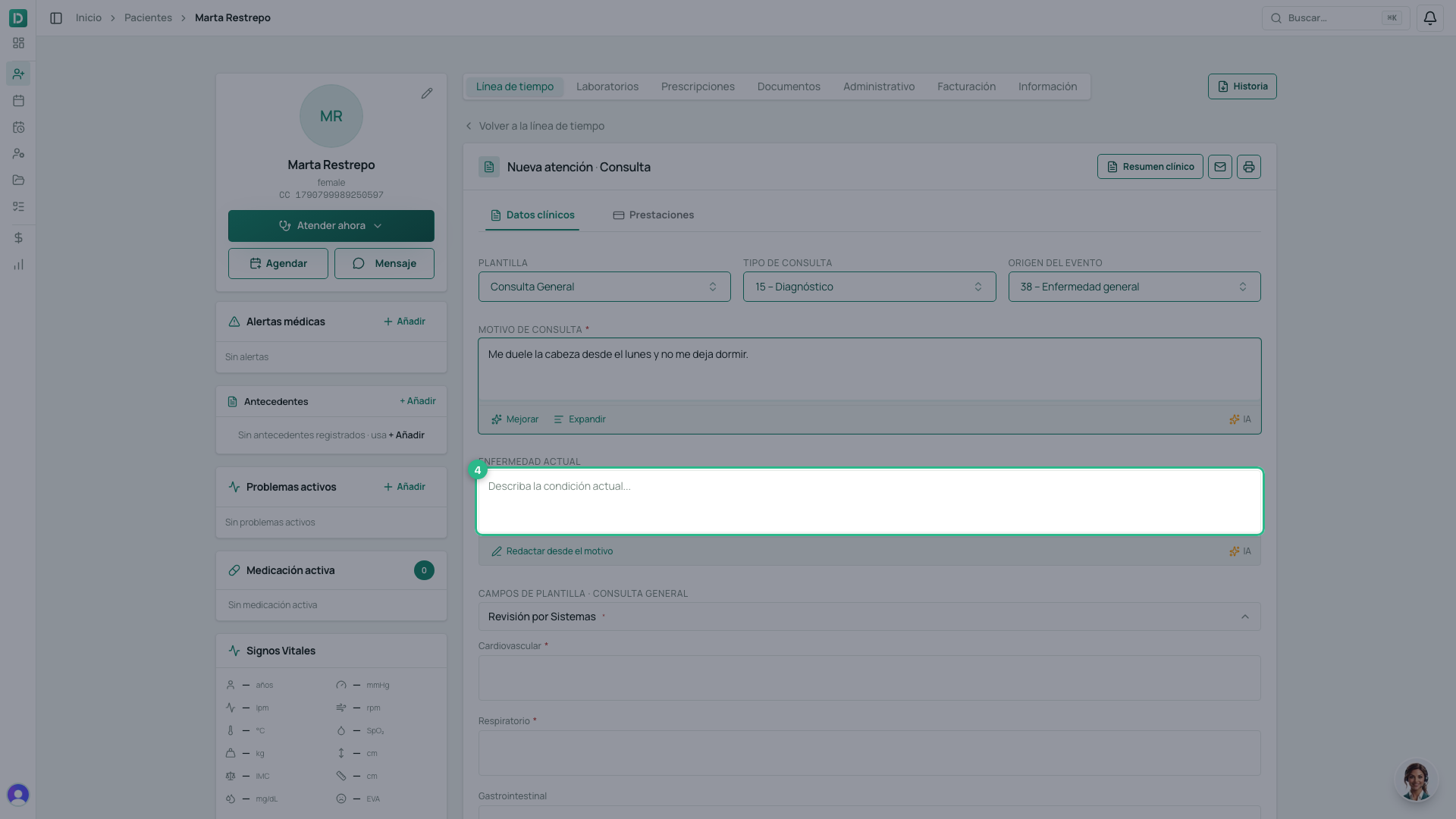
- Fill in the clinical note. The fields follow the SOAP order: Enfermedad actual holds what the patient tells you, and further down are the analysis and the Plan.
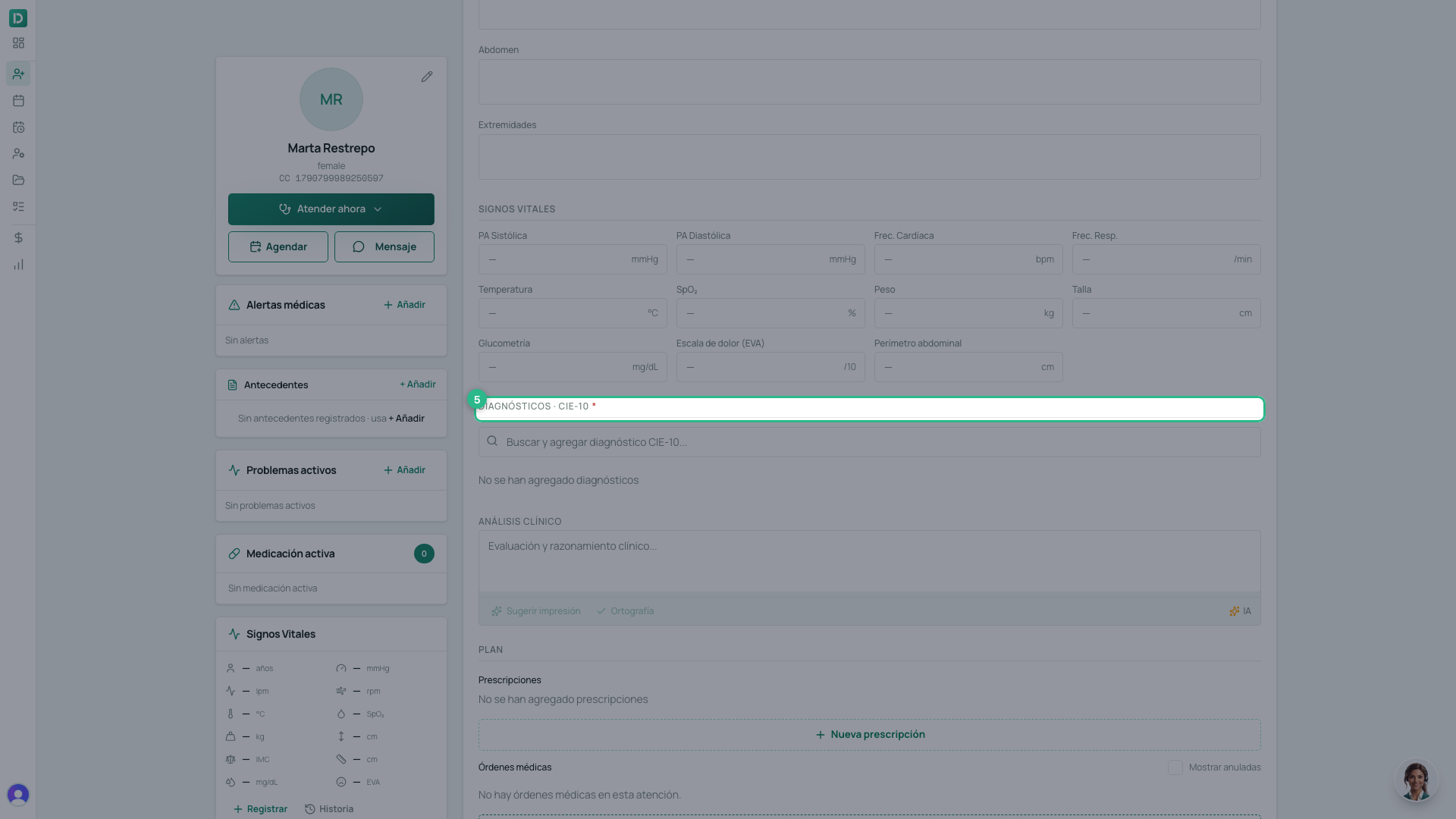
- Add the diagnosis (ICD-10). Below it, when they apply, are Órdenes médicas, Prestaciones (the RIPS data), Signos vitales, Consentimientos informados and Documentos clínicos.
You do not have to save: the consultation saves itself as you type. The header shows a Borrador badge, and it stays that way until you sign it.
Why Diagnósticos looks blocked at first
A diagnosis hangs off a consultation, so the consultation has to exist first. Until you have written anything there is nothing to save, and the section says «Guarde la consulta como borrador primero para agregar diagnósticos».
Write the chief complaint, wait a second, and the section unlocks by itself: the Buscar y agregar diagnóstico CIE-10 search box appears. There is no button to press.
With AI
- Mejorar and Expandir: polish or extend the text in the note’s fields.
- Dictar con IA: speak, and the note is written.
- AI scribe: it listens to the consultation and builds the whole draft — see the dictation and scribe guide.
Tip
The AI proposes; you decide. Always review the draft before signing: the professional is responsible for the record.