How to generate business documents
On this page
From Companion you can generate key business documents with AI help and download them when you approve them.
Available documents
- Business plan
- Mission and vision
- Quality manual
Steps
- Open Your Business → Companion.
- Go to Documents.
- Click Generate document.
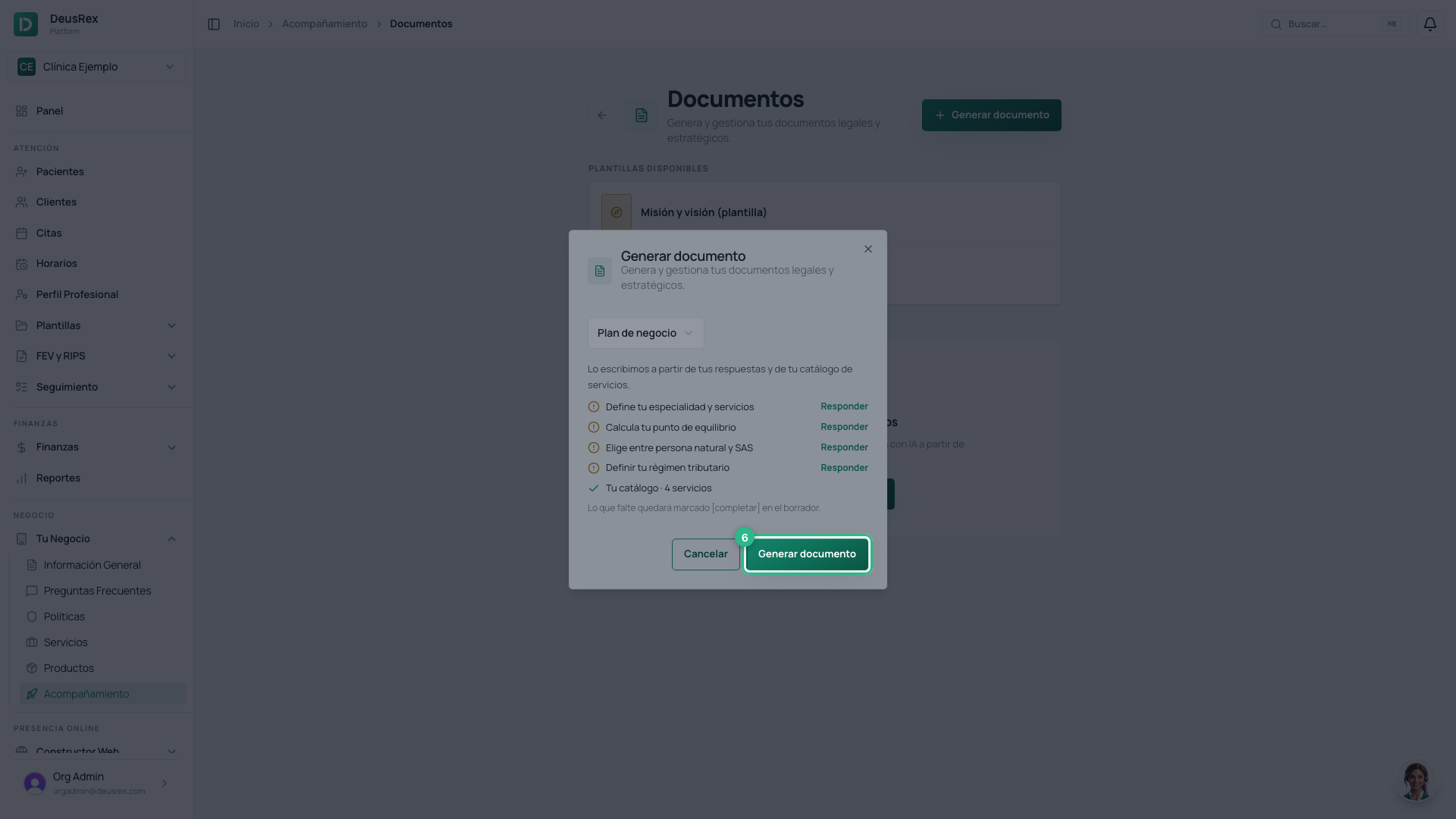
- Select a category. The dialog lists the checklist answers the
document is written from, and your service catalog. Steps you have not
answered yet carry an Answer link; anything missing is marked
[completar]in the draft. - Click Generate document in the dialog.
Generation takes a moment: the document appears under Generated documents as Under review. Open the preview, click Approve when you are happy with it, then Download.
Tip
Answer the checklist steps first — your services, your break-even point, your legal form and your tax regime: the Business plan then uses your figures instead of a generic example. Generate the other documents (mission/vision, quality manual) after it, since they build on it.