How to view and manage your sessions
On this page
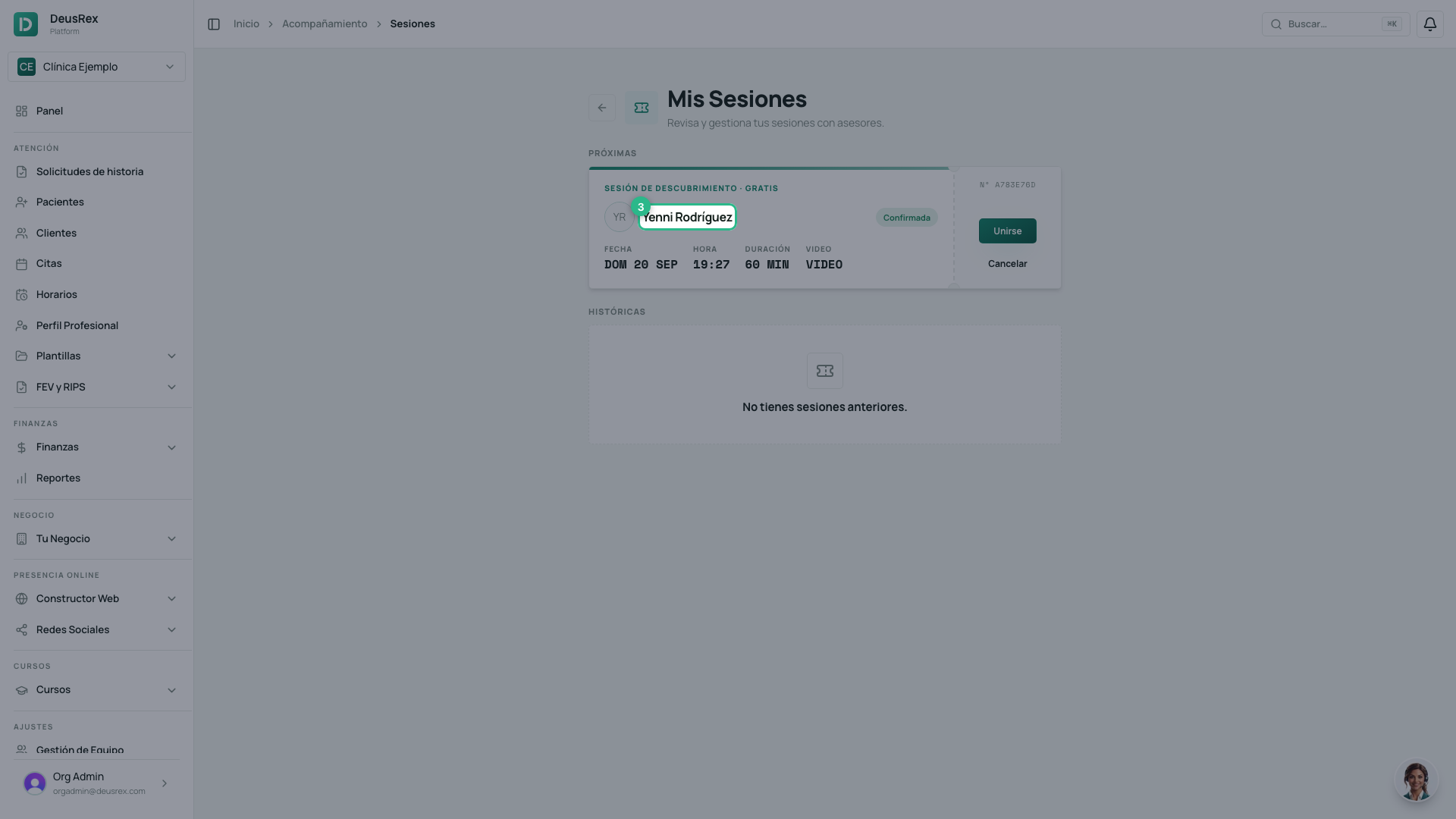
My Sessions gathers every session you booked with an advisor: the ones coming up and the ones already past.
Steps
- Open Companion → My Sessions.
- Under Upcoming, each confirmed session appears as a ticket with the advisor, the date, the time and the duration.
- Click Join to enter the video call.
- Click Cancel if you can no longer attend.
- History keeps past and cancelled sessions, with their status.
When Join becomes active
The button turns on 10 minutes before the start time and stays on until 15 minutes after the session ends. Outside that window it is greyed out: that is not an error, it is simply not time yet.
A session already in progress stays under Upcoming, so if you step out of the call you can walk back in.
Cancelling
Cancelling cannot be undone and releases the slot for someone else. If you only want a different time, cancel and book again from the advisor’s profile.
Tip
Join 2 or 3 minutes early so you can pick your camera and microphone without rushing. Step by step in Joining your session’s video call.