How to publish your business in the public directory
On this page
The DeusRex public directory is the page where patients search for health businesses by specialty and city. Appearing there is optional: your business is only published once you authorize it, and it leaves the directory the moment you withdraw that authorization.
The Public directory section is in Your business → General, at the bottom of the page.
Before you start
Publishing needs two things:
- At least one professional verified in ReTHUS/REPS. The directory only shows verified teams, so without one you’ll see “You can’t publish yet”.
- A plan that includes the directory. It comes with Pro and Clinic. On Starter the section shows “Not included in your plan” and a link to See plans.
Steps
- Open Your business → General and scroll to Public directory.
- Enter the City where you practice. This is what patients filter by, so use the one where you see people, not the one on the registration.
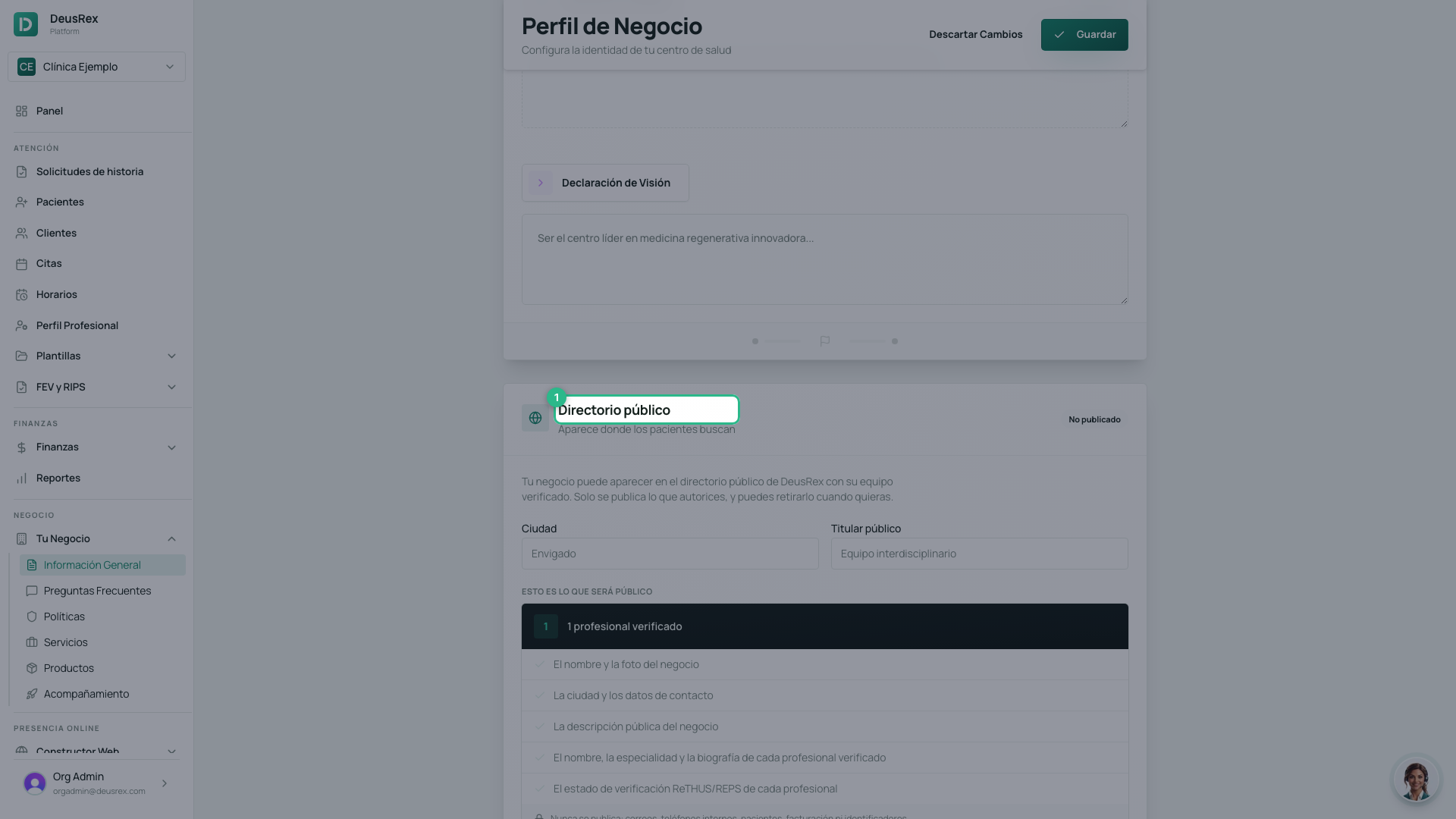 3. Write a short Public headline — one line describing your team, for
example “Interdisciplinary team”.
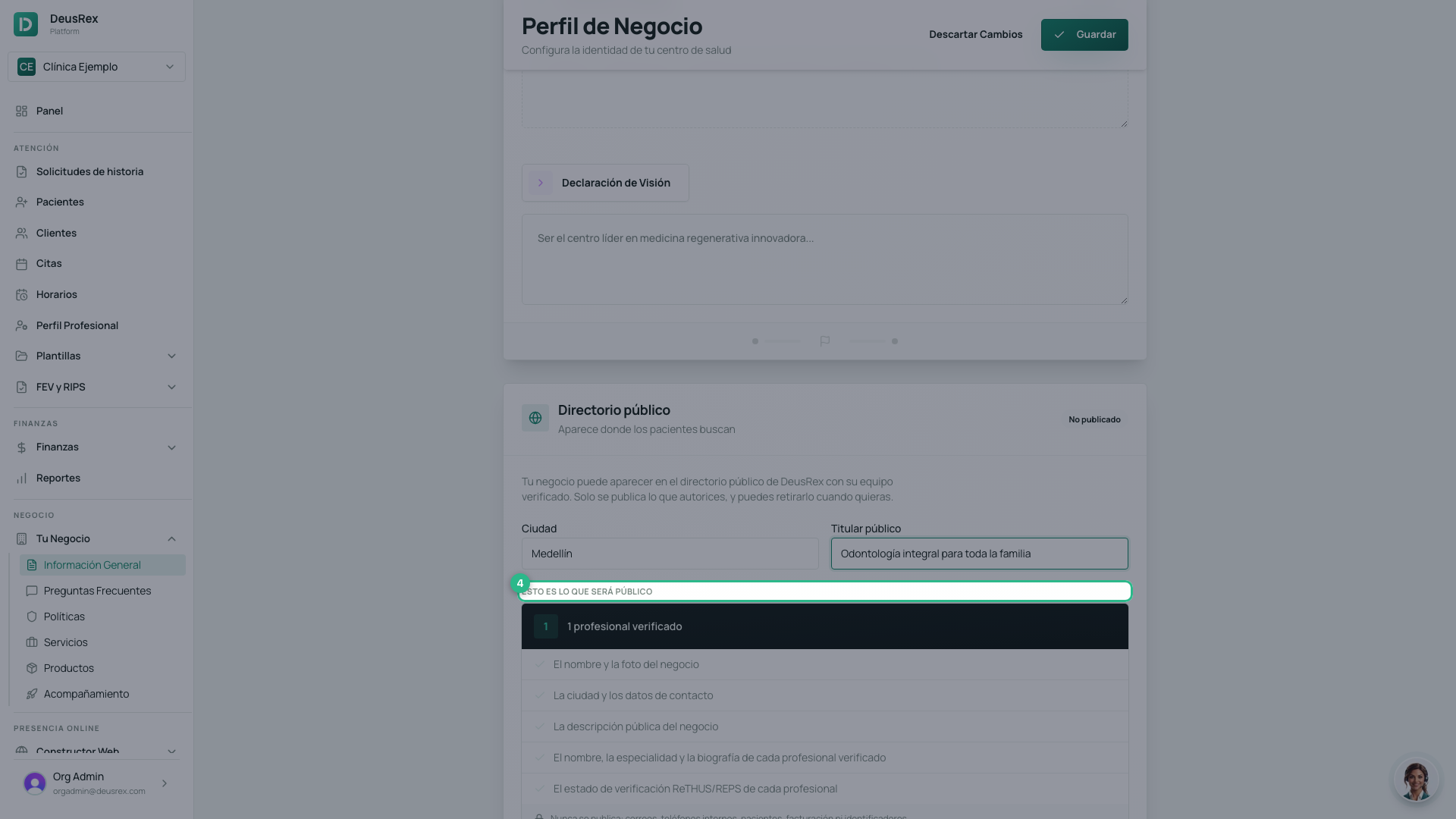
4. Review the This is what will be public block. It shows the exact fields
that will leave the system: name, city, headline, address, contact phone and
email, services with prices, and the verified team.
5. Click Review and publish.
3. Write a short Public headline — one line describing your team, for
example “Interdisciplinary team”.
4. Review the This is what will be public block. It shows the exact fields
that will leave the system: name, city, headline, address, contact phone and
email, services with prices, and the verified team.
5. Click Review and publish.
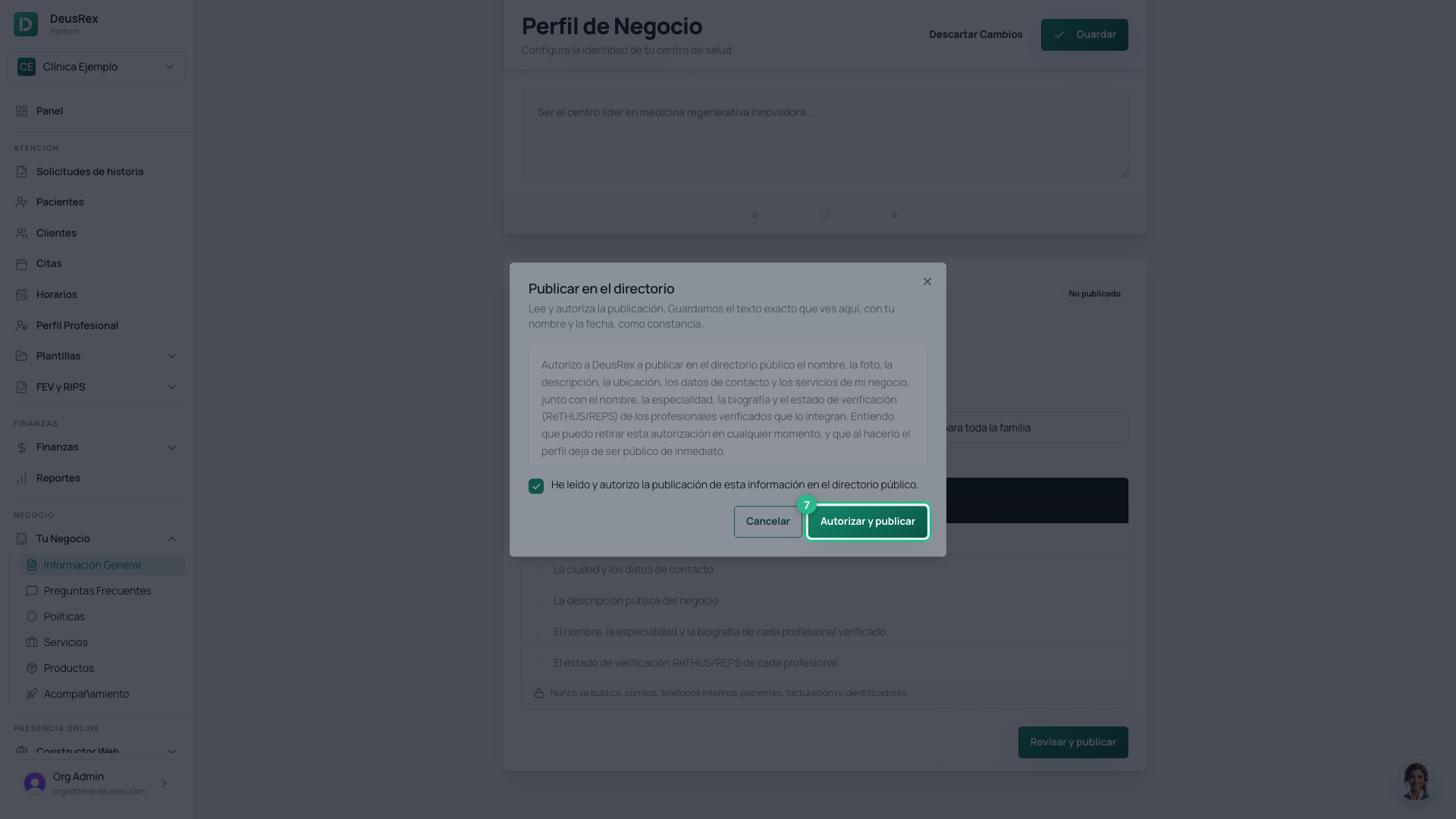
 6. Read the authorization text, tick the checkbox, and click
Authorize and publish.
6. Read the authorization text, tick the checkbox, and click
Authorize and publish.
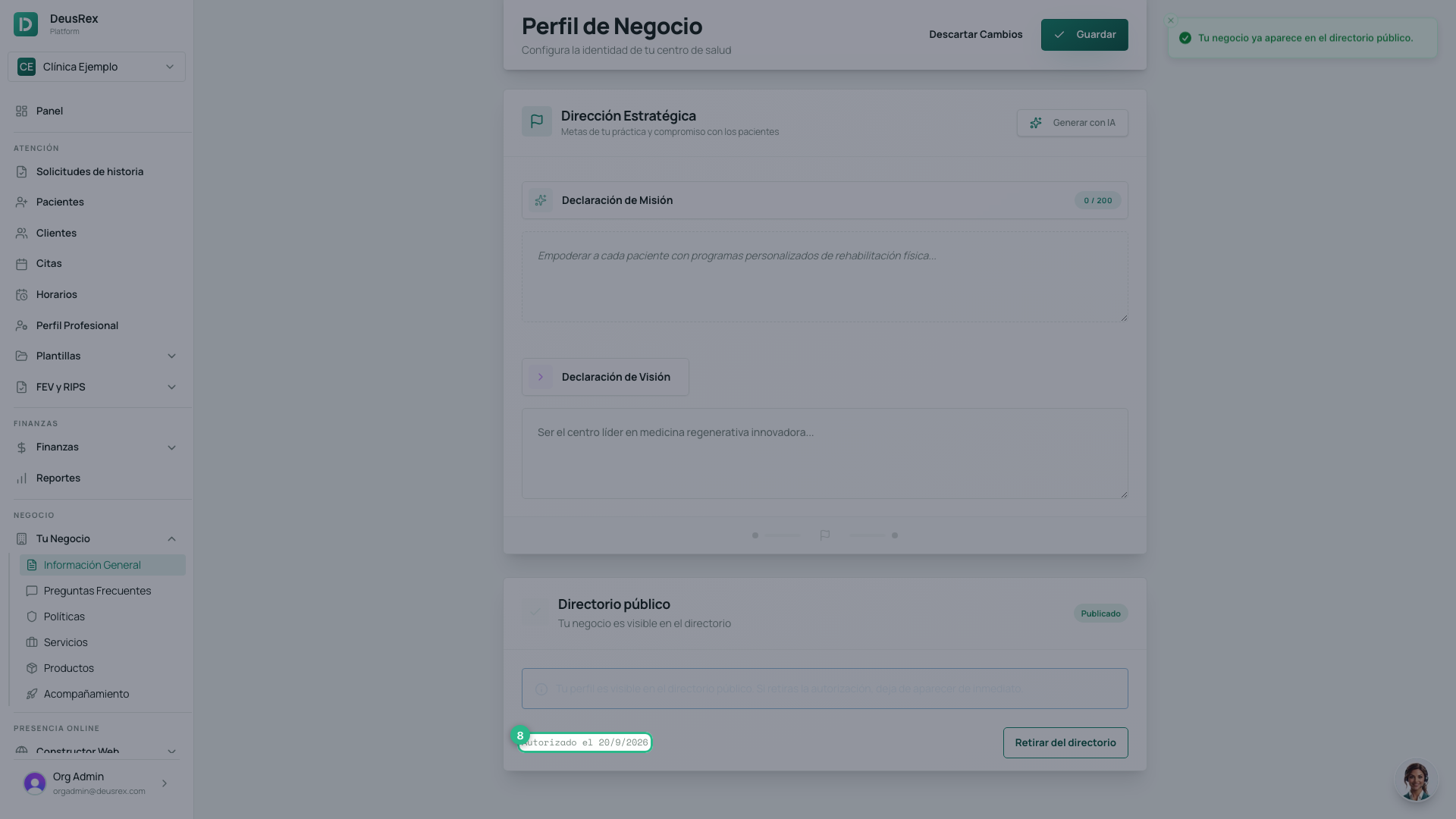
You’ll then see the Published badge and the date of the authorization.
What is published and what isn’t
Only what appears in This is what will be public is published.
Never published: any patient data, your internal emails and phone numbers, billing, or system identifiers. Those fields have no path to the directory even when they’re filled in on the business.
Withdrawing from the directory
Click Withdraw from directory. The profile stops appearing immediately — the next person to open the link gets a “not found” page. There’s no site update to wait for.
We keep the record of the authorization and of the withdrawal with your name and the date, as the personal-data law requires.
If the team stops being verified
The directory checks verification on every request. If your only verified professional stops being verified, the business disappears from the directory even though the publication is still on, and it comes back only when there is at least one verified professional again.
Tip
Write the headline for someone searching, not for someone who already knows you: the specialty and the kind of care matter more than the trade name.