How to turn a post into a reel
On this page
A reel post from the content calendar comes with a script written in moments: each sentence says what is shown while it is spoken. Compose voiced reel (Componer reel con voz) turns it into a vertical reel ready to publish, with your brand voice, an image or animation for each sentence, word-by-word captions, music and the closing card with your logo.
Before you start
- The voice, pace and length come from your brand; the colors, fonts and logo, from your look; and who appears, from your characters. If you don’t have a brand yet, SarAI builds it with you in a few minutes.
- The button shows the cost: 2 credits for the voice and the editing, plus 1 for each image. Animated cards cost nothing.
Steps
- Open the post in Social Media → Campaigns.
- Under Reel script (Guion de reel), check the estimated length (≈ N s). The maximum is 90 seconds; if the notice says trim the script, shorten it before continuing.
- Press Compose voiced reel. It is generated in the background and takes a few minutes: you can keep working, and the post updates itself.
- Play the reel in the preview. That video is what will be published.
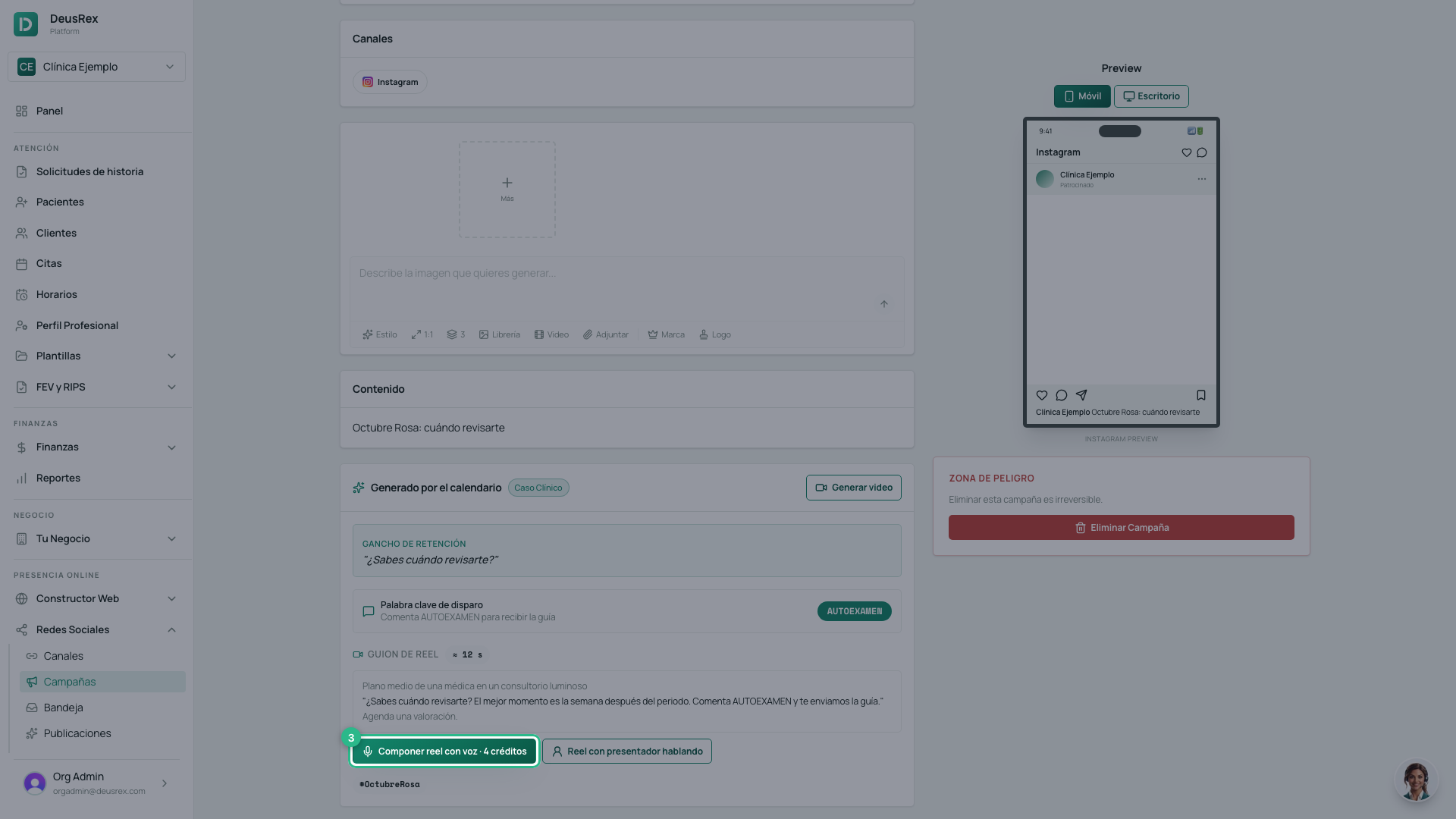
If you change the script or your brand, press Compose again (Volver a componer).
What your reel includes
- An image for each sentence, which changes right as the sentence starts. If the sentence names a character, they appear with the same face.
- Animated cards in your colors for a myth and its reality, a fact or a list.
- Your presenter speaking to camera in the moments marked for her, with your brand voice and lip-synced.
- Captions that highlight the word being spoken.
- Your brand’s music, soft under the voice.
- The closing card: your logo, your Instagram username and the notice Educational content. It does not replace a medical consultation.
Tip
Write the script the way you would speak to a patient, in short sentences. Each sentence is a cut in the video: cuts every 2 to 4 seconds keep people watching.